Realistic Lip Sync
AI maps speech to natural mouth movements that match your chosen voice perfectly.
Turn your own photo into a realistic talking video. Upload it, write your script, and AI handles lip sync, voice, and motion automatically.
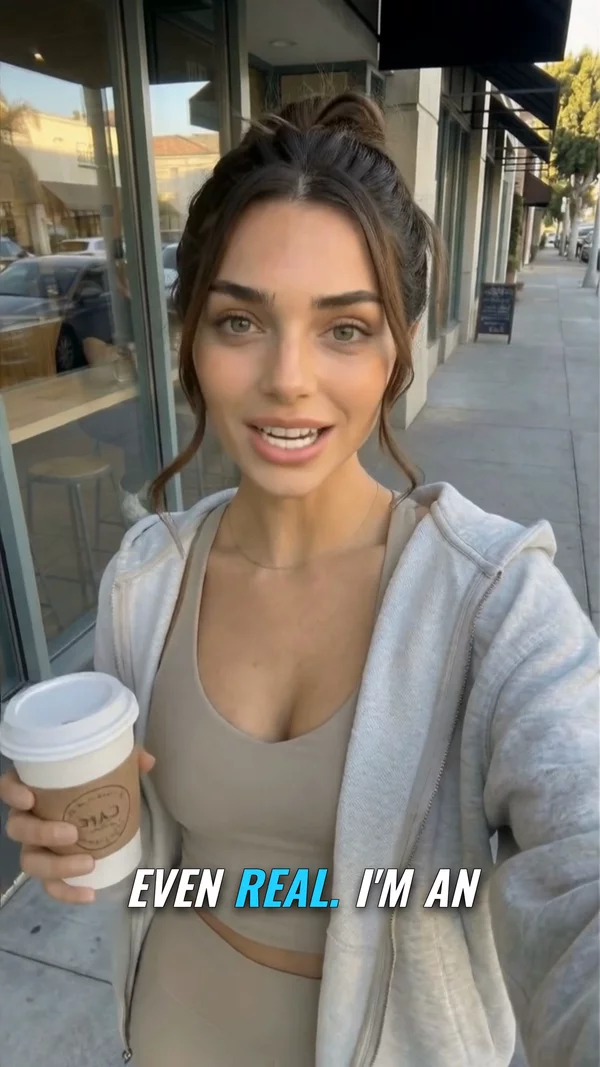
Sample video. Your result will vary based on the style, voice, and settings you choose.
No editing skills. No complex software. Just describe what you want.
Use a front-facing photo of yourself, an AI-generated face, or a person who gave you permission. Clear lighting and a neutral expression work best.
Type or paste your script. Choose from 1,300+ AI voices in 50+ languages. AI handles lip sync and natural delivery.
Click generate and get a realistic talking video in minutes. Download, share, or publish directly to YouTube.
Professional tools, zero learning curve.
AI maps speech to natural mouth movements that match your chosen voice perfectly.
Choose from voices in 50+ languages. Male, female, young, old. Every accent you need.
Upload your own photo, an AI-generated face, an illustrated character, or even a pet. Front-facing works best.
Use the same face with different scripts, voices, and backgrounds for consistent brand presence.
Generate videos in 9:16 for social media, 16:9 for YouTube, or 1:1 for ads.
Connect your YouTube channel and publish avatar videos directly from AITuber.
AI-generated captions with word-level timing. Choose from 10+ caption styles.
Generate multiple avatar videos from different scripts in a single session. Scale content production.
AI avatar video generators let you create professional talking-head videos without a camera, studio, or on-screen talent. Upload a front-facing photo of yourself or an AI-generated face, type or paste a script, and AI generates a video where the person speaks naturally with realistic lip movements and voice.
This technology is used by marketers creating ad creative at scale, educators building course content, businesses producing internal training videos, and content creators who want a consistent on-screen presence without being on camera themselves.
AITuber combines HeyGen-powered avatar generation with 1,300+ ElevenLabs voices in 50+ languages. The result is a realistic talking video you can publish directly to YouTube, use in ads, or embed on your website.
Photos with direct eye contact, even lighting, and a neutral expression produce the most realistic lip sync results.
Short sentences with natural pauses work better than long paragraphs. Read your script out loud before generating.
Preview voices before generating. A voice that matches the age and appearance of your avatar photo looks more convincing.
Shorter avatar videos hold attention better. For longer content, break it into a series of clips.
Use your own photo, an AI-generated face, or an illustrated character. You may also use a real person if they have given you written permission. Do not upload a photo of someone else without their consent, and do not make a real person appear to say something they did not say. See our Terms of Service for the full policy.
Any clear, front-facing photo you have the right to use. That means yourself, an AI-generated face, an illustrated character, or a real person who gave you written permission. Good lighting helps.
AITuber uses HeyGen-powered technology for realistic mouth movements that match the audio. The quality depends on the photo resolution and angle.
Yes. You can clone your own voice from a one-minute sample, or choose from 1,300+ AI voices across 50+ languages and accents. Only clone a voice you own or have written permission to use.
Yes. Sign up free and get enough credits to create several avatar videos and test the full workflow. No credit card required. Upgrade later if you need more.
Yes. Videos you create on AITuber are yours to use for ads, courses, social media, and any commercial purpose.
Avatar videos can be up to 7 minutes long. Most users create 30 to 90-second clips for social media and ads.
Create videos for other popular niches
Join 75,059+ creators using AITuber to make professional ai avatar video videos with AI.
No credit card required