Wondershare Filmora MCP for Claude: Does It Exist?
Is there a Filmora MCP server for Claude? We checked Wondershare, GitHub, and the MCP directories in September 2026. What exists, and what to use instead.

There is no Filmora MCP server. We checked on 21 September 2026. Wondershare has not published one for Filmora, for its AILab API, or for any other product. Claude’s connectors directory has no Filmora entry. GitHub has one repository with “Filmora” and “MCP” in the name, and it is empty. What Wondershare does offer is an AI Copilot that runs inside the Filmora app, and a REST API for its AI models. Neither lets Claude touch your timeline. The workable route today is copy and paste: Claude writes, Filmora builds.
Key takeaways
| Question | Short answer |
|---|---|
| Is there an official Filmora MCP server? | No. Not from Wondershare, not in Claude’s connectors directory, not on filmora.wondershare.com |
| Is there a community Filmora MCP? | One GitHub repo carries the name. It was created on 14 September 2026 and has no code |
| Can Claude control Filmora at all? | Not directly. Claude can write the script and shot list, and you paste it into Filmora’s AI tools |
| What does Wondershare’s API do? | The AILab API runs AI image, audio, and video models on a credit balance. It does not open or edit a Filmora project |
| What if I want a finished video from Claude? | Connect the MCP server for AI video generation from AITuber. It writes, voices, captions, renders, and publishes |
Where we looked, and what we found
We checked five places on 21 September 2026. Wondershare’s Filmora site, the Wondershare AILab developer portal, Anthropic’s connectors directory, GitHub, and the MCP directories (Glama, PulseMCP, LobeHub, mcpmarket).
Filmora’s site talks about Claude a lot. It has a page on what Claude is, a page of Claude prompt generators, and a page on using Claude for video ideas. None of the three mentions MCP. Their advice is to plan in Claude and then move to Filmora by hand.
The AILab portal is Wondershare’s developer home. It documents a REST API with an app key and secret, and it bills per call from a credit balance. We read the docs and found no MCP endpoint and no Filmora project format.
Anthropic’s connectors directory returned nothing for Filmora or Wondershare. GitHub returned one repository, covered below. The MCP directories returned nothing.
So the answer is no. If Wondershare ships a server, we will update this page with the URL and setup steps.
What Filmora is, and why people want it in Claude
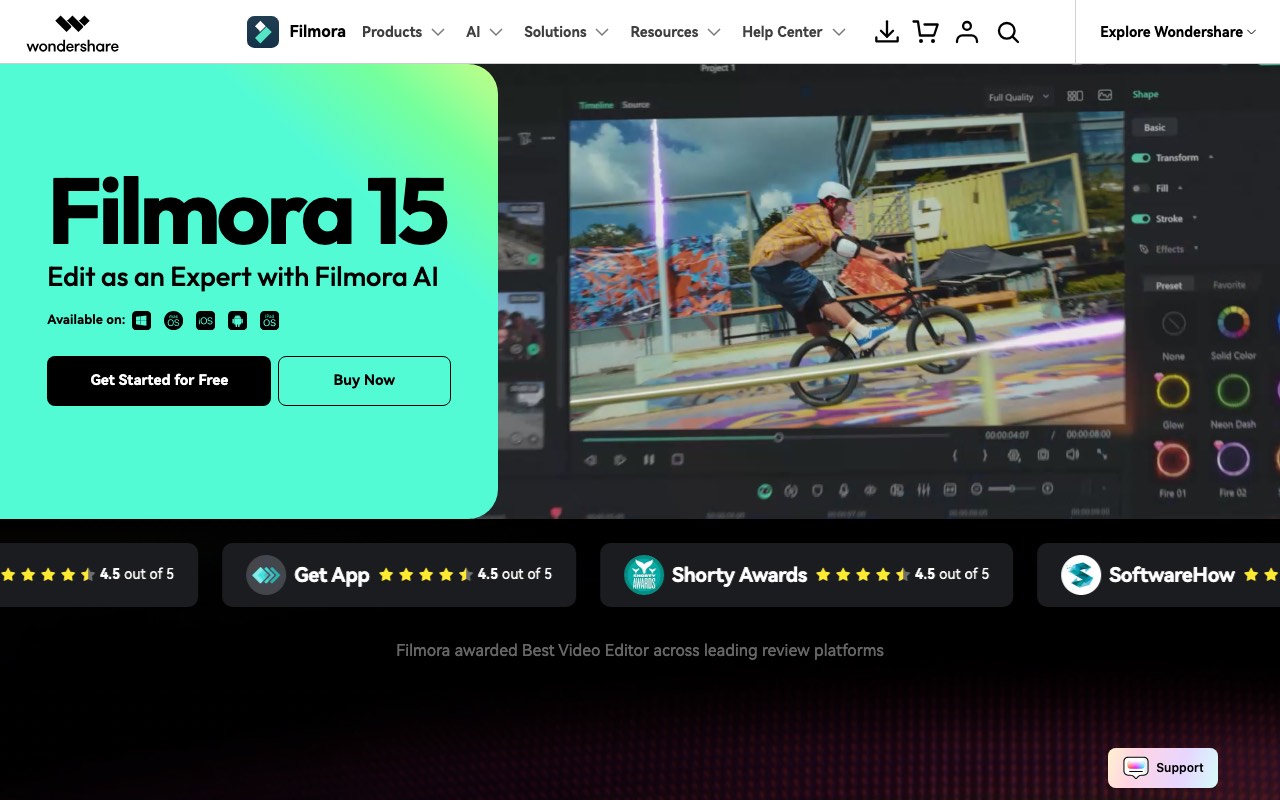
Filmora is Wondershare’s consumer video editor. Version 15 shipped in late 2025 and runs on Windows, Mac, iOS, and Android. Its pitch is a timeline editor that beginners can learn in an afternoon, with AI features bolted on. The list includes AI Text to Video with Veo 3.1, Image to Video with Veo 3.1 and Sora 2, and Smart Cutout. Speech to text, text to speech, and an AI music generator round it out.
The feature that makes people search for a Filmora MCP is AI Copilot Editing, which Filmora also calls AI Mate. You open it from the timeline toolbar and type or say what you want. “Cut the silence and make it look like a cinematic film” is the kind of request it handles. It builds timelines, applies effects, and suggests music, using local acceleration on AI PCs where it can.
That sounds like an MCP server. It is not. The Copilot is a feature inside the app. There is no endpoint, no tool list, and no way for Claude, Cursor, or ChatGPT to call it. If you want to type a command and have Filmora act, you type it into Filmora.
The wish is easy to understand. In the CapCut MCP search, people wanted a chat-driven editor because CapCut’s availability kept changing. With Filmora the motive is different. Creators already do their planning in Claude and want to skip the copy-paste step. That step is still there.
The one “Filmora MCP” on GitHub
Searching GitHub for “filmora mcp” returns exactly one repository: LiZixwx/FilmoraCN-MCP. It was created on 14 September 2026. As of 21 September it has zero stars, zero forks, no licence, and no files. The GitHub API reports the repository as empty.
Its description, translated from the author’s wording, says the MCP channel is “forcibly programmed into the software by injecting the program ontology”. That describes patching the Filmora binary, which the app’s licence does not allow. Even if code appears, we would not install a modified editor to get a chat command. Wait for something official, or use a route that does not need to break the app.
For comparison, the community CapCut projects have thousands of stars and years of commits, and they still only write a draft file. Filmora has nothing at that level. Filmora’s project format is also proprietary, so a draft-writing server would face the same limits.
What Wondershare does offer developers
Wondershare runs a developer platform called AILab. It sells the company’s AI models over REST, the same models that power features in Filmora and in Virbo, its avatar app.
The flow is simple. You create an application in the AILab portal and get an app key and secret. You call an endpoint to start a task, such as an image upscale, a background removal, or speech to text. Then you poll a result endpoint until it finishes. Calls are billed from a credit and minute balance. The docs list image and audio algorithm groups, plus asset upload and render jobs.
Two facts matter for the MCP question. First, the AILab API runs models. It does not open a Filmora project, place a clip on a timeline, or export one. Second, a developer could wrap AILab in a custom MCP server in an afternoon. That server would give Claude Wondershare’s AI models, not Filmora. If you want Wondershare’s speech to text or upscaler as a Claude tool, that is doable. If you want Claude to edit your Filmora project, it is not.
How to use Claude with Filmora today
The route that works is the one Filmora’s own articles describe. Claude does the thinking. Filmora does the building. You carry the text between them.
- Ask Claude for the plan. Give it the topic, the length, the platform, and the tone. Ask for a script with a hook in the first line, a shot list with one line per scene, and a caption style.
- Open Filmora and start an AI Text to Video or AI Idea to Video project. Paste the script. Filmora picks media, adds transitions, and generates a voiceover.
- Open AI Copilot Editing from the timeline toolbar. Paste Claude’s edit notes one at a time: cut silences, add captions, colour grade, add music.
- Review, then export. The free version adds a watermark. The paid plans remove it.
This takes about as long as it sounds. For one video a week it is fine. For a daily channel the pasting becomes the job, which is when a real server earns its place.
Filmora vs generate: which job do you have?
Filmora edits footage and assembles media you point it at. A generation server makes the video from a prompt.
If you filmed something, you need an editor. Filmora is a good one, and so are the best free CapCut alternatives if you want no watermark at no cost. We’d keep a folder of real footage in a real editor.
If you have an idea and no footage, the editor is a detour. What you need is a server that writes the script, picks a voice, makes the visuals, captions it, renders it, and posts it. That is what AITuber’s MCP server does. It does not open Filmora projects, and it does not edit video you upload. It generates a new one from a prompt.
How to get a finished video from Claude instead
There is nothing to install. AITuber’s server is hosted at https://mcp.aituber.app.
- Open Settings, then Connectors, in Claude on the web or Claude Desktop.
- Click Add custom connector and paste the server URL. The Claude MCP server for video page has the exact steps with screenshots.
- Sign in with your AITuber account. No API key is pasted into Claude.
- Start a new chat and describe the video. Say the topic, the length, the aspect ratio, and where to post it.
- Approve the tool call. AITuber writes the script, picks a voice from more than 1,300, and generates the visuals. It adds word-synced captions, renders the MP4 in 9:16 or 16:9, and publishes to YouTube, TikTok, Instagram, Facebook, Threads, or X.
In Claude Code, one command does the same: claude mcp add --transport http aituber https://mcp.aituber.app. The server also works in Cursor, Codex, and ChatGPT. Our guide to AI video generation in Claude with MCP has prompts that work well.
Finished videos made with AITuber
Every one of these came from a single prompt. No timeline, no export button, no pasting.
Filmora + Claude vs AILab API vs AITuber MCP
| Claude + Filmora, by hand | Wondershare AILab API | AITuber MCP | |
|---|---|---|---|
| Official | Yes, both products | Yes, Wondershare | Yes, AITuber |
| Works in Claude | Claude writes, you paste | Only if you write an MCP wrapper | Yes, web, Desktop, and Claude Code |
| Edits your footage | Yes, in Filmora | No, runs models on files you send | No, it generates |
| Returns | An MP4 you export | Model output: an image, a transcript, an upscale | A finished MP4 with voice and captions |
| Script writing | Claude, in the chat | No | Yes, built in |
| Captions | Filmora auto captions | Speech to text endpoint | Yes, word-synced |
| Publishing | You upload | No | YouTube, TikTok, Instagram, Facebook, Threads, X |
| Needs installed | Filmora desktop or mobile app | Your own server code | Nothing |
| Price | Filmora Basic $49.99 a year, Advanced $59.99 a year with 1,000 AI credits a month, Perpetual $79.99 once | Credits per call | 100 free credits, then $39 a month |
Filmora prices were read on the Filmora shop page on 21 September 2026 and were showing as discounted from list. The free version exports with a watermark.
The honest read. Filmora is a solid editor, and its Copilot is a good feature. Neither is reachable from Claude. For video from a Claude chat, AITuber is the route that ends with a file on your channel.
Who should use what
Use Filmora with Claude by hand if you edit your own footage and make a video or two a week. Let Claude write, and paste into AI Text to Video and the Copilot.
Use the AILab API if you are a developer and you want Wondershare’s models, such as its speech to text, as tools in your own agent. Wrap it in a small MCP server and keep your editor separate.
Use AITuber if you want to ask Claude for a video and find it on your channel. The same MCP server for AI video generation works in ChatGPT, Cursor, and Codex. Our best MCP servers for AI video generation roundup compares it with the rest of the field.
Frequently Asked Questions
Basics
Is there an official Filmora MCP server?
No, as of 21 September 2026. Wondershare has not published an MCP server for Filmora or for its AILab API. Filmora’s own Claude articles describe a manual workflow: plan in Claude, then build in Filmora.
Is there a Filmora MCP server on GitHub?
One repository carries the name, LiZixwx/FilmoraCN-MCP. It was created on 14 September 2026, has no code, no stars, and no licence, and its description talks about injecting into the Filmora binary. We would not use it even if code appears.
Can Claude control Filmora?
Not directly. Claude cannot open a Filmora project, place clips, run the Copilot, or export. It can write the script, shot list, and edit notes that you paste into Filmora’s AI Text to Video and AI Copilot Editing tools.
Setup
How do I use Claude with Filmora?
Ask Claude for a script, a shot list, and edit notes. Paste the script into Filmora’s AI Text to Video or AI Idea to Video. Then open AI Copilot Editing from the timeline toolbar and paste the edit notes as commands. Export when it looks right.
Does Filmora have an API?
Wondershare’s AILab API does. It runs AI image, audio, and video models over REST with an app key and secret, billed from a credit balance. It does not edit Filmora projects. A developer could wrap it in a custom MCP server to give Claude those models.
Does the AITuber MCP edit my Filmora projects?
No. AITuber generates a new video from a prompt. It writes the script, adds a voice and visuals, captions it, renders the MP4, and publishes it. If you need to cut footage you filmed, use Filmora or another editor.
Comparisons
What is the closest thing to a Filmora MCP for Claude?
For a finished video from a prompt, AITuber’s MCP server. For editing footage from Claude, the community CapCut MCP servers get further than anything Filmora has, and they still stop at a draft. Our roundup of the best MCP servers for AI video generation compares the generation side.
Is Filmora free?
There is a free version with full editing and a watermark on export. Paid plans were $49.99 a year for Basic, $59.99 a year for Advanced with 1,000 AI credits a month, and $79.99 once for Perpetual, as read on 21 September 2026.
Will Wondershare release a Filmora MCP server?
Wondershare has not announced one. It already sells its models through the AILab API, so an MCP layer on top of that would be a small step. An MCP that drives the Filmora timeline would be a bigger one. We will update this page if either ships.
Final verdict
No Filmora MCP server exists, official or otherwise. Filmora’s AI Copilot takes text commands, but only from inside the app. Wondershare’s AILab API gives developers models, not the editor. The single GitHub repo with the name is empty. If you have footage, edit it in Filmora and let Claude write the plan. If you have an idea and want the video on your channel, connect AITuber’s Claude MCP server for video and ask for it.
How we researched this: we checked filmora.wondershare.com, the Wondershare AILab developer portal, Anthropic’s connectors directory, GitHub, and the Glama, PulseMCP, LobeHub, and mcpmarket directories on 21 September 2026. Repository facts come from the GitHub API that day. Filmora feature and Copilot details come from Filmora’s own AI video editing pages and Wondershare’s Claude articles. Prices come from the Filmora shop page on the same day and may change with promotions. The MCP download figures are from the Linux Foundation’s 14 September 2026 press release. AITuber is a product we build, so every comparison is flagged, and the Filmora and Wondershare details are kept accurate and current. If Wondershare ships an official server, this page will be updated.